
I take the odd photograph or two and have an ongoing juggling act with digital memory cards. We don’t have to keep film in the fridge or rush it to the lab any more but we do have to handle the huge RAW image files our increasingly large capacity cameras generate.
“I am going to look at the Eye-Fi memory card,” Liz Arden said.
Whoa. This is really cool. And my first thought was, Can it be programmed to go to Dropbox or just to my home network?
Warning: This is going to be a techie column.
Eye-Fi gets media where you want it:
During the quick set-up, you customize where you want your memories sent. The Eye-Fi card will only send them to the computer and to the sharing site you choose. Pick from one of over 25 popular sites including Picasa, FB, and more, but not Dropbox.
“Picasa works for me,” Ms. Arden said. Me, too.
Before I start to sound like a press release, the downside is that Eye-Fi cards are Secure Digital (SD) based only. I settled on Compact Flash long ago. The latest (camera) body I lust for as well as my current cameras are not compatible with any Eye-Fi cards because Eye-Fi doesn’t work with that storage media.
The Mac Geek Gab guys who introduced them to Ms. Arden “didn’t quite grouse about CF cards, but didn’t like that some cameras use them when SD is so prevalent that the makers of these devices don’t feel a need to do the same for CF.”
And that was a mistake on the camera makers’ part.
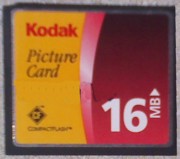 I settled on CF because it was the fastest, highest capacity, least expensive media and the cameras I like best use it. And it came standard with the first digital camera I bought, a Kodak DC4800.
The data backs me up. The Compact Flash can support capacities up to 137GB although mass market cards rarely go above 64GB. UDMA 133 has a data transfer rate of 133 Mbyte/s. And current cards are rated for 1,000,000 writes per block before hard failure which will long outlive my camera shutter. Looks like Secure Digital cards max out at a capacity of 32GB and have write rates of 200 Mbit/s (bits, not bytes.)
Even the Wikipedia article admits that “SD cards … may also not present the best choice for applications where higher storage capacities or speeds are a requirement as provided by other flash card standards such as Compact Flash.”
The Canon 5D Mark II was the first DSLR to shoot full HD video. With a 21.1 million pixel sensor, each shutter click writes a 25.8 MB file on the Compact Flash card. The standard CF card originally packaged with the camera will hold 78 JPEG files or 13 RAW files. I don’t even want to think about an HD video on the same “little” 512 MB card I use in the Kodak today. A modern digital photographer might carry three times more memory cards today than film canisters of 20 years ago.
I’m always looking for a better way to move the files from the camera to the laptop.
CFMulti advertises that it “opens new possibilities for Compact Flash (CFII) equipped devices.” This gadget puts an Eye-Fi WiFi SD Cards into a CF-shaped which plugs into the Type II slot. “Since most current high end DSLR and late model midrange digital cameras feature CompactFlash slots, CFMulti’s ability to provide them with Eye-Fi wireless protects camera investments.”
Better but it still uses the slower, lower capacity SD cards.
We’re getting closer to the grail.
That would be a medium format digital camera that writes a 4MB RAW file over 4G or WiFi in a tenth of a second. Maybe next year.
Mr. Grove promised, you know.